
Pairing new devices
Note:
You can also easily pair new devices from the MicroSense® 2 app. Download the app from AppStore or Google Play and pair the app with the Stove Guard as instructed in the section Pairing the MicroSense® 2 app with the Stove Guard.
The following instructions are for pairing devices without using the app.
Pairing a new Sensor Unit
- Prepare the new Sensor Unit and install it on the cooker hood or on the wall mounting bracket. See Installation of the Sensor Unit.Note:If you have an older style fuse box that does not have automatic fuses, unplug all sensitive electronic devices such as televisions and refrigerators to protect them from voltage spikes.
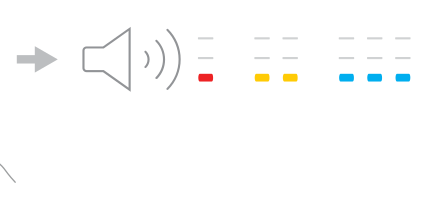
- To set the Control Unit into Pairing Mode, turn the stove power OFF from the electrical panel for 2-3 seconds and then turn it ON and repeat this process 3 times.The Control Unit starts beeping repeatedly and enters Pairing Mode for 3 minutes.
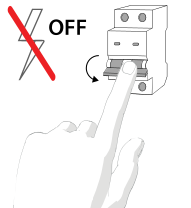
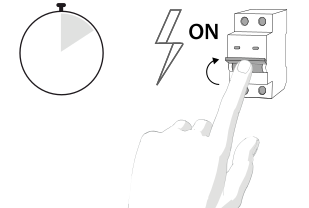
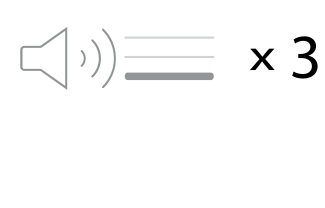
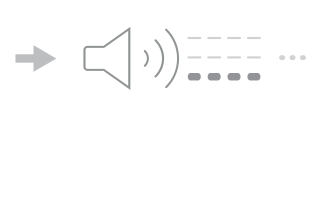
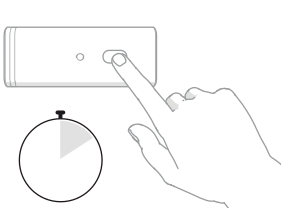
- To set the Sensor Unit into Pairing mode, press and hold the Sensor Unit button until you hear three consecutive beeps. Release the button.The Sensor Unit enters Pairing Mode.
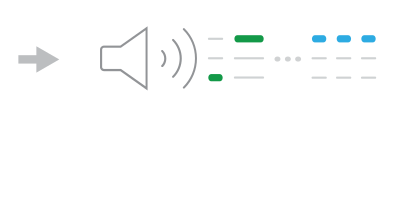
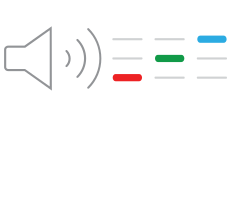
- To make sure that the pairing is successful, perform the Function Test.
 |
 |
 |
Pairing a new Control Unit
- Install the new Control Unit following the installation instructions.
- Repeat steps 2. and 3. from Pairing a new Sensor Unit.